Long-time readers know that I'm a huge fan of the Yahoo! Music Unlimited service. I've built my little music ecosystem around it, with a Creative Zen Micro and a Roku Soundbridge as devices that support the subscription content. I'm generally happy with the set up, even though the Yahoo! Music Jukebox is -- ummm -- just not very good. Here comes a rant.
So, here's what I want to do: subscribe to a podcast (specifically, the KEXP Music that Matters podcast) with Yahoo! Music Jukebox and have it automatically download new episodes to my portable player when they become available. Pretty much a minimum level of functionality you'd expect out of a podcast client, yes? Let's try to set it up.
First, there's no support for podcasts out of the box, so you have to go find a plug-in somewhere. So, go to the help, type in "podcast" and a promising page comes back: Podcasts and the Yahoo! Music Jukebox. Cool, maybe this is going to be easy. "If you already have the Yahoo! Music Jukebox, you only need a plug-in to use podcasts. Download the plugin here". Great, let's click on that link.
Huh? I'm taken to some Yahoo! Gallery Beta home page, with no mention of anything music-like anywhere. Okay, fine ... must have been a re-org. Let me just type in "podcast" in the search box then. Here are the results. Wow, that's pretty unhelpful -- nothing that looks like a plug-in here. I click around for a while, and there's just no plug-in to be found anywhere.
Okay, that didn't go so well. Maybe Google knows where the plug-in is. Ah! There's an entire Yahoo! Podcasts Beta site. Here we go ... a link in the FAQ: Podcasts in the Yahoo! Music Engine. Well, that's the old name for the client, but that's probably okay. Click to that page ... we might be in business! "If you have the Yahoo! Music Engine software, you can get the entire Yahoo! Podcasts experience without launching a browser. All you need to add is the podcast plug-in, if you haven't already downloaded it, click here". What am I waiting for? Click!
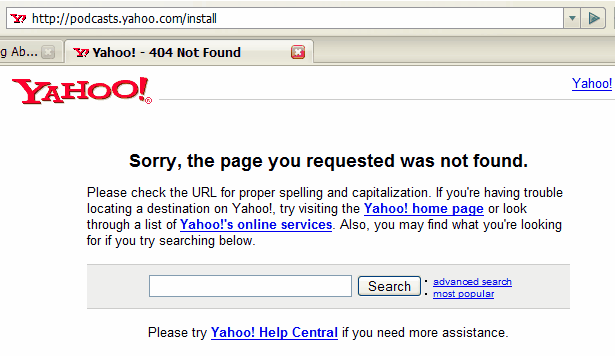
(In the background, we hear the gnashing of teeth and the rending of garments)
Back to square one, I find an old reference on Jeremy Zawodny's blog to a podcast plug-in from 2005. I'm more than a little skeptical because it's so old, but what the heck ... click on it and I actually get deep-linked into a page that actually works!
So, I download the plug-in, try to install it, and it ends up uninstalling Yahoo! Music Jukebox from my machine. Wow. Fine. Reinstall Yahoo! Music Jukebox. Thankfully, all my settings are still there. Try installing the plug-in again. This time it seems to work ... I get two tabs labeled Yahoo! Podcasts and My Podcasts.
Success? Not a chance. Even though I have these two tabs and it looks like I can subscribe to podcasts, there's just no way I can find to actually link the podcast to my device so it gets synced up. Maybe create a playlist, add the postcast subscription to the playlist and sync the playlist? Nope.
All smarminess aside, I'm stuck. Seriously, can anyone help me at this point?
